
Free · Open source · Windows 10 and 11

Winamp, playing Spotify.

Real Winamp skins, the 10-band equalizer, MilkDrop and full keyboard control, for your Spotify. The music plays in the app itself: no web player, no browser tab.

v0.7.13 · free · MIT license · join the Discord

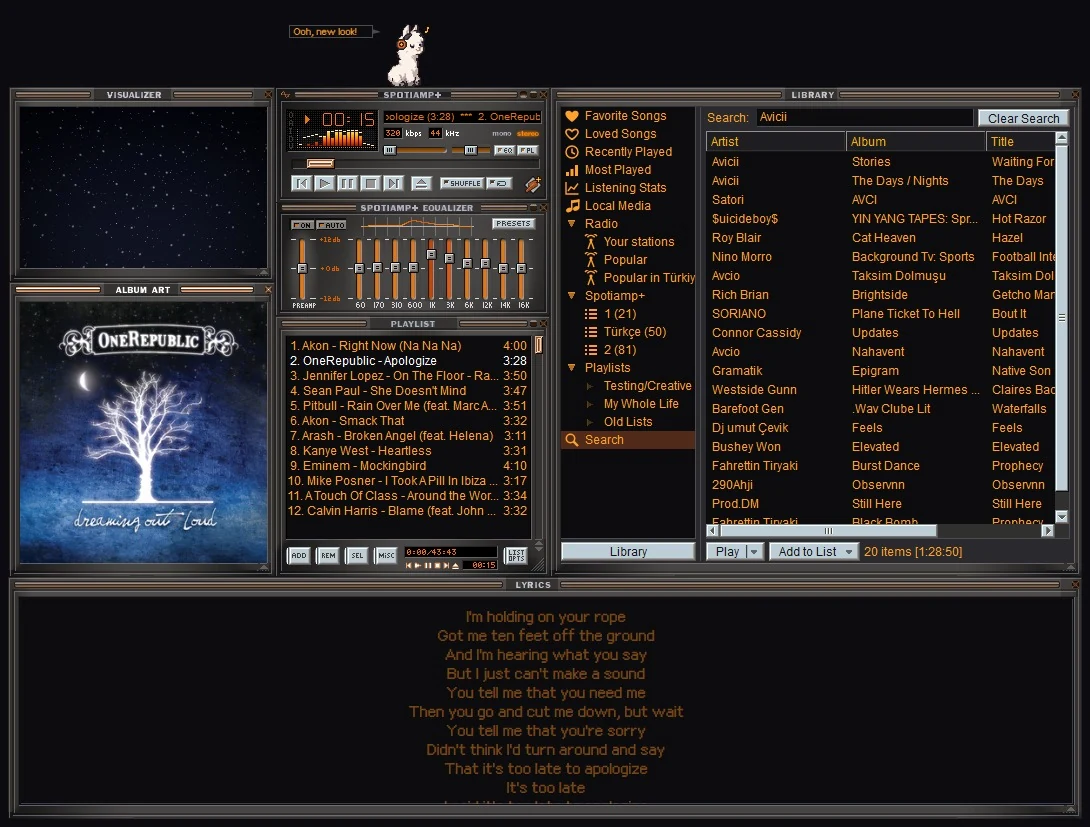
Spotiamp+ in its own skin, every window open
SPOTIAMP+
11skins built in
1000smore in the Skin Museum
537MilkDrop presets
10band equalizer
0 €forever, open source

Skins

Every Winamp skin. Every window.

Eleven come with it. Thousands more are one click away in the built-in Skin Museum, any Winamp 2 skin (.wsz) you have works too, and so do Winamp 5's modern skins (.wal). They look the way Winamp 5.666 drew them, matched side by side with the real thing, and they dress every window, the Library included: their cursors, their window shapes, their titlebars and fonts.

Spotiamp+ in the Spotiamp+ skin

The Classified skins are by Victhor; the Sony and Nucleo skins by their authors. All rights stay with them.

Winamp 5's modern skins in Spotiamp+: Winamp Modern, Big Bento and more, the Library inside each skin's own Media Library

Winamp 5's modern skins: Winamp Modern, Big Bento and thousands more, with their own windows, playlist and equalizer driving Spotiamp+. Drawn by Webamp Modern's engine.

MilkDrop moving with the music, full screen

MilkDrop

The visuals you remember, for real.

Real MilkDrop presets, drawn by projectM and moving with every beat. 537 presets come with it, 183 of them by Incubo, among them takes on Spotiamp+'s own patterns, and three endless underground trips of our own in the spirit of Geiss' Monkey. Press M in the visualizer, double-click for full screen, heart your favourites, or drop in your own .milk files.

Prefer something lighter? The visualizer has its own patterns too, and the main window's spectrum is drawn the Winamp way, in the skin's own colours.

Meet Lala

A little llama lives on your player.

She dances to the beat, naps when the music stops, cheers for new badges and pops over to your other windows when she's bored. Your listening badges open 20 outfits for her, and on Halloween and over the New Year she wears a costume.

Lala dancing in her outfits

Your music

Spotify, your own files and the radio.

Spotify

Premium plays right in Spotiamp+; if Spotify refuses an account's songs, Spotify Soloist, Spotify's own player, plays them, set up once. A Free account gets Free Mode: Spotiamp+ becomes the Winamp face of the Spotify app and drives it, with the song's lyrics and cover. Your playlists, Liked Songs and search are all in the Library.
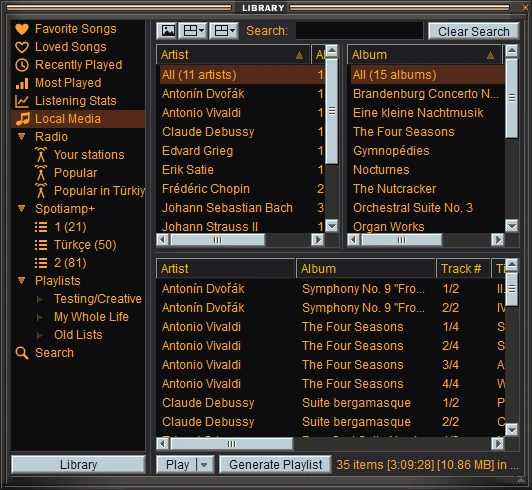
Local Media

Add your music folders once and every song is in the Library, Winamp's own Media Library, with its artist and album filters, ratings and play counts, to sort and search. MP3, FLAC, M4A, WAV, OGG, Opus and WMA, next to your Spotify songs.

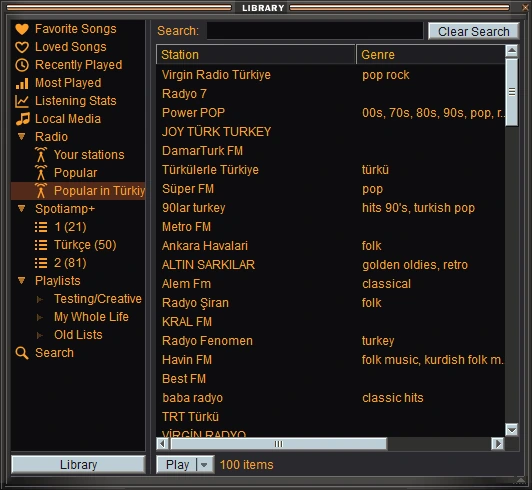
Internet radio

Thousands of stations by name or genre, the most listened ones near you, and any stream link with Ctrl+L. AAC+, Opus and HLS in full quality, through the EQ and the visualizers.

Local Media in Winamp's Media Library, with its artist and album filters The Library's Radio

A closer look

Every window, just like you remember.

Pixel for pixel, the way Winamp drew them, and each one docks to the others like it did.

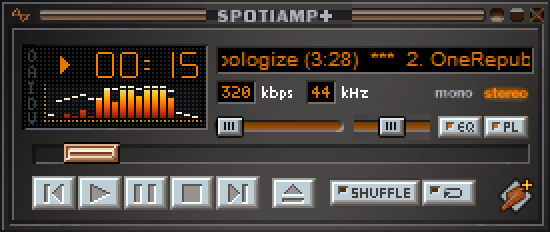
The main window, in the Spotiamp+ skin

The main window

The song scrolling in the skin's own letters, kbps and kHz, the spectrum or the oscilloscope, shuffle and repeat, a windowshade mode and Ctrl+D for double size.

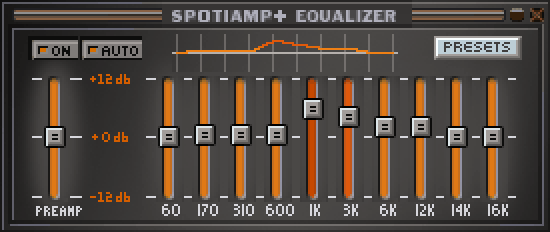
The 10-band equalizer

The equalizer

Ten bands and a preamp, presets, Winamp's own .eqf files, and AUTO: a curve for a song or an artist comes back whenever they play.

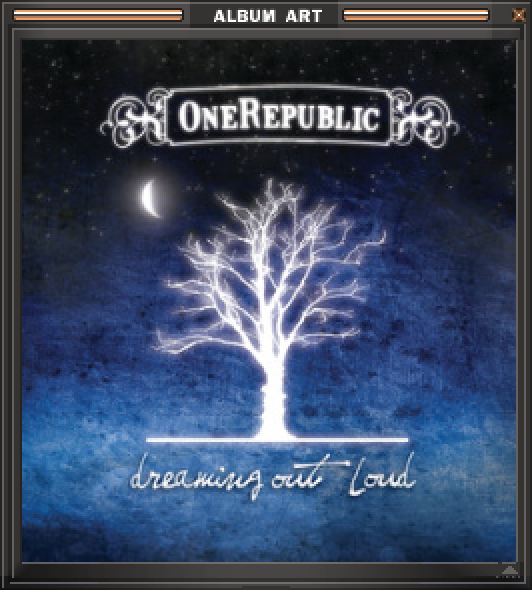
The album art window

Album art

The cover in a window of its own, square at any size, in Free Mode too.

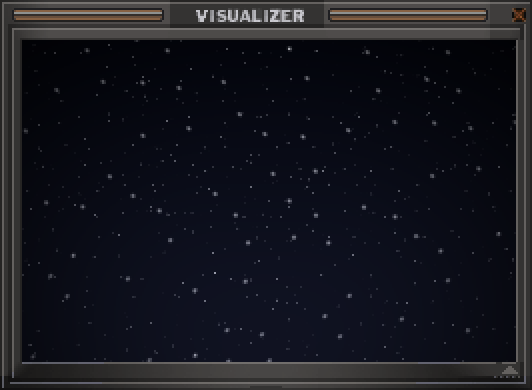
The visualizer window

The visualizer

A hundred patterns of its own, and MilkDrop one key away. Double-click for full screen.

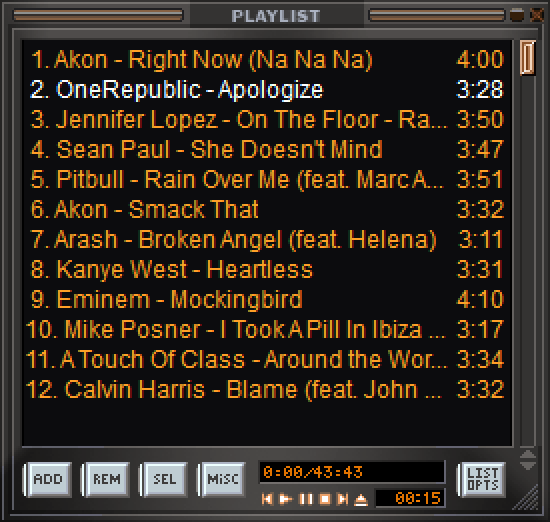
The playlist window

The playlist

Winamp's own playlist editor. Drag songs in from anywhere, find one with J, queue one with Q, and save your lists.

The lyrics window

Synced lyrics

The words light up as they're sung, for Spotify songs, your own files and what the radio plays. Three sizes; click a line to jump there.

Last.fm

What you play goes on your Last.fm profile, and the songs you love are loved there too.

Listening stats

Your top songs and artists, badges, streaks, and a Rewind of your year.

On Discord

Friends see what you're playing, with its cover. Radio shows with the station's name.

Updates itself

A new version shows up as a button. One click, and everything stays as it was.

Your hands remember

The keys you learned in 1999.

ZPrevious
XPlay
CPause
VStop
BNext

Arrows for volume and seeking, J to find a song, Ctrl+D for double size, F1 for every key, and Winamp's global hotkeys (Ctrl+Alt) from any program.

Questions

Good to know

Do I need Spotify Premium?

For Spotiamp+ to play the music itself, yes: that only works with Premium. A Free account gets Free Mode, where Spotiamp+ drives the official Spotify app (keep it open) and the Winamp windows show and control what it plays, with its lyrics and cover. If Spotify refuses a Premium account's songs (it does to some newer ones, in every app built like Spotiamp+), Spotiamp+ offers Spotify Soloist, Spotify's own player, and they play right in the app. Your own files and the radio work either way.

Windows says it protected my PC. Is it safe?

Spotiamp+ isn't code-signed (certificates are costly), so SmartScreen warns about any new download like it. Click More info, then Run anyway. The whole source is open on GitHub, and every release is built from it.

Does it see my Spotify password?

No. You log in on Spotify's own page in your browser, and Spotiamp+ only gets a token. Nothing about you is sent anywhere else: see the privacy policy.

Is this made by Spotify or Winamp?

No. Spotiamp+ is an independent, open source project, not affiliated with or endorsed by Spotify or Winamp. It grew out of Ted Steen's Spotiamp.

Mac, Linux, phones?

Windows 10 and 11 (64-bit) for now.

Something doesn't work. What now?

Come say hi on Discord or open an issue on GitHub, with your Spotiamp+ and Windows versions.

Boost your music.

Free, open source, and a few seconds to install.

Download Spotiamp+ Join the Discord